
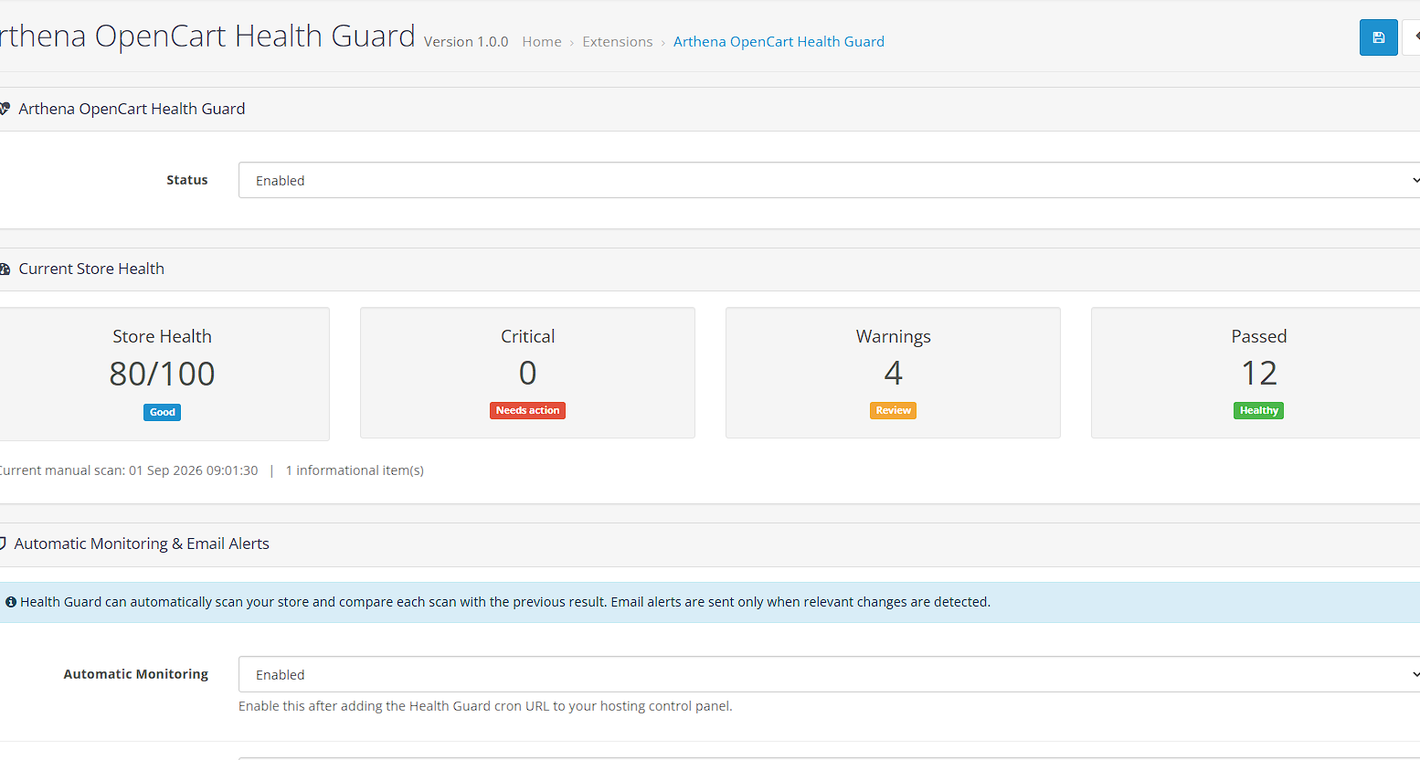
Current Store Health
See the overall score plus critical, warning and passed totals at a glance.

Run clear store-health checks, monitor changes automatically and receive email alerts when important issues appear, worsen or recover.
Use the demo administrator account below to open the OpenCart admin and view Arthena OpenCart Health Guard in a working demonstration store.
The demo lets you open the OpenCart admin and review the Health Guard interface before purchasing.
Demo access is for evaluation only. Changes may be reset periodically.
Health Guard gives OpenCart administrators a quick health score and a detailed list of checks, then keeps watching automatically through a scheduled cron task.
Run a fresh scan whenever you want and see critical issues, warnings, passed checks and informational items.
Add the secure Health Guard cron URL to your hosting control panel and let scheduled scans run automatically.
Send alerts through OpenCart mail when new critical issues or warnings appear, the health score drops, or an issue recovers.
Automatic scans compare the current result with the previous result so meaningful changes can be identified.
Health Guard can recognise when a previously detected issue is resolved and send a recovery alert.
Review automatic scan time, score, critical count, warnings, whether the result changed and whether mail was handed off.
Health scans are read-only. Health Guard does not modify products, categories or store settings.
The OpenCart Marketplace listing has also been submitted. A marketplace link can be added here once the listing URL is available.
See the overall score plus critical, warning and passed totals at a glance.

Review each check, status, count and affected items from one clear table.

Control alert triggers and confirm that scheduled monitoring is active.

Keep a simple record of scan scores, warnings, changes and mail handoff status.
Upload arthena_health_guard.ocmod.zip through Extensions → Installer.
Open Extensions → Modifications and click the blue Refresh button.
Open Extensions → Extensions, select Modules and install Arthena OpenCart Health Guard.
Open System → Health Guard, enable the module, run a scan and optionally add the cron URL for automatic monitoring.
Run a manual scan today and let Health Guard watch for changes automatically afterwards.